A Cardboard Mock Up Saves a Month
I was staring at a pile of scrap birch and a half-finished joinery prototype at 2:00 AM, wondering why the “perfect” digital render looked so much better than the physical reality sitting on my workbench. Most tutorials will tell you that the goal is to create a miniature version of your final product, but that’s a lie. If you’re just trying to replicate the finish, you’re wasting your time. The real purpose of learning how to make a mock up isn’t to prove the design works; it’s to find out where it fails before you’ve spent a fortune on materials. I’ve kept a graveyard of these failed attempts in my studio for twenty years, and honestly, they are more valuable to my process than the pieces that actually made it to production.
In this guide, I’m skipping the glossy, high-fidelity nonsense and getting into the grit of the process. I want to show you how to use low-fidelity materials to test spatial tension and scale without getting precious about the aesthetics. We’ll walk through the transition from rough cardboard skeletons to more disciplined structural models, focusing on the decisions that matter most during the build.
Guide Overview
Tools & Supplies
- Computer or Tablet with design software (for digital layout)
- Printer (to output the design)
- Scissors or X-Acto knife (for precise cutting)
- Cardstock or heavy paper (3-5 sheets)
- Adhesive or double-sided tape (1 roll)
- Foam core or cardboard (1 sheet for base)
Step-by-Step Instructions
- 1. Start with the scraps on your desk. Before you even touch a piece of software or a formal material, you need to find the “rough” version of the idea. I usually grab whatever is within reach—cardboard from a shipping box, some heavy-duty masking tape, or even just a stack of tracing paper. The goal here isn’t beauty; it’s about establishing the spatial logic of the object. If you try to make it look good too early, you’ll end up defending a mistake just because it looks polished.
- 2. Define your primary constraints. In my studio, this is where the tension starts. You have to decide what this mockup is actually meant to test. Is it the scale of a chair leg against a human body, or is it the way light hits a curved surface? Don’t try to solve everything at once. Pick one critical variable and build the mockup specifically to interrogate that single question.
- 3. Build the “Skeleton” using low-fidelity materials. This is the stage where I lean heavily on foam core or even thick corrugated cardboard. Use a sharp blade—nothing else will do—and cut your primary shapes. At this point, the mockup should feel intentionally fragile. You want it to be easy to break, easy to cut, and easy to reshape. If you commit to a permanent glue too soon, you’ve effectively killed the design process.
- 4. The “Stress Test” of scale. Once you have a physical form, you have to step away from the workbench and interact with it. If it’s furniture, sit on the cardboard version. If it’s a smaller object, hold it in your hand while walking around the room. This is where you realize that the dimension you thought was “elegant” on paper is actually completely impractical in three dimensions.
- 5. Document the “Near Misses.” This is a habit I picked up from my years in production lines. As you adjust the pieces, take photos of the versions that failed. Don’t just throw them in the bin; keep them in a pile. I find that seeing the wrong way side-by-side with the current iteration is the only way to truly understand why the current version works. It provides the necessary context for your success.
- 6. Move to a high-fidelity “Proxy.” Only once the proportions feel settled should you move toward materials that mimic the final intent. If you’re designing a wooden table, perhaps you move to a high-density MDF or a plywood. This isn’t about making the final product, but about testing the materiality and weight of the idea. You’re looking for that moment where the object stops feeling like a collection of parts and starts feeling like a singular, coherent thing.
Understanding How to Make a Mock Up
When I first started out, I thought a mockup was just a way to prove a concept worked. I was wrong. A mockup is actually a way to find out where your idea fails. It’s the difference between a drawing that looks perfect on a screen and a physical object that feels uncomfortably heavy or awkward in the hand. This is where the real work of product design prototyping begins—not in the refinement of what works, but in the brutal confrontation with what doesn’t.
I tend to lean heavily on cardboard model construction during these early stages. There is something honest about corrugated paper; it doesn’t lie to you like a high-fidelity render does. It forces you to deal with the structural reality of a joint or the sweep of a curve before you’ve wasted a single sheet of expensive walnut. If you move too quickly into expensive prototype building materials, you’ll find yourself subconsciously defending a flawed design just because you’ve already spent the budget on it. You have to give yourself permission to build something that is meant to be thrown away.
Key Things to Know
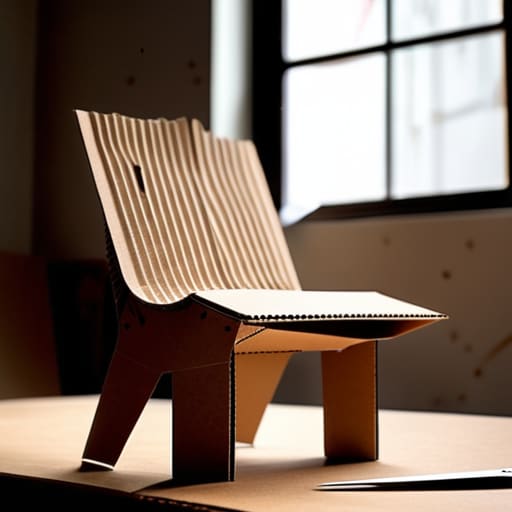
One thing I’ve learned from two decades of staring at failed joints and wonky legs is that your choice of materials dictates your honesty. If you’re early in the process, don’t reach for the expensive walnut or the high-end resin. I often find that cardboard model construction is the most truthful way to test a silhouette. It’s cheap enough that you aren’t afraid to cut it up when you realize the proportions are wrong, but sturdy enough to stand on its own. The goal isn’t beauty; it’s about visualizing design concepts before they become permanent, expensive mistakes.
I also tend to obsess over the “why” of a failure. When I’m setting my own mockup evaluation criteria, I’m not just looking at whether the piece looks good on a screen. I’m looking at the tension, the weight, and how it occupies space. Sometimes, a rough sketch or a foam block tells you more about the soul of a chair than a perfect digital render ever could. You have to embrace the messiness of the early stages to find the decisions that actually matter.
Practical Tips and Steps
I’ve spent a lot of my life surrounded by the wreckage of failed ideas—those rejected prototypes I keep in the corner of my studio. They serve as a reminder that the most successful versions of a project are rarely the first ones we imagine. When you are deep into product design prototyping, the temptation is to jump straight to the “correct” solution. But I’ve learned that the real value lies in the messy middle. Don’t be afraid to lean into cardboard model construction early on. It’s cheap, it’s fast, and it allows you to fail without the crushing weight of expensive material costs.
The goal isn’t just to build something that looks like the final product; it’s about visualizing design concepts in a way that tests their actual viability. I often find myself caught between two directions—one that is safe and one that is slightly too ambitious. My rule is to build both. If you aren’t questioning your own decisions halfway through the process, you probably aren’t pushing the design hard enough. The best way to refine a concept is to see it fail in your hands before it fails in the real world.
The Ghost in the Prototype
A mockup isn’t a rehearsal for the final product; it’s a way to interrogate the mistakes you haven’t made yet. If your prototype doesn’t make you feel a little bit uneasy about the direction you’re heading, you aren’t actually testing anything—you’re just confirming your own biases.
Jonathan Marin
The Ghost in the Machine
At the end of the day, making a mockup isn’t about following a checklist or achieving some sterile perfection; it’s about the messy process of testing your assumptions. We’ve walked through the technicalities—the scale, the materials, the structural logic—but none of that matters if you aren’t using the prototype to find where the idea breaks. You have to be willing to look at a failed model and see it not as a waste of time, but as a necessary boundary. If the mockup doesn’t reveal a flaw in your initial thinking, you probably haven’t pushed the physical form hard enough to see what it’s actually trying to be.
I often look back at the graveyard of rejected prototypes in my studio, the ones labeled with scribbled notes about failed joints or awkward proportions, and I realize they were my most honest teachers. A mockup is a conversation between your brain and your hands, a way to bridge the gap between a concept and a reality that actually works. Don’t be afraid to let the process be uncomfortable. The most successful designs rarely emerge from a straight line; they come from the pivots and corrections that happen when you finally see your idea standing in three dimensions.
